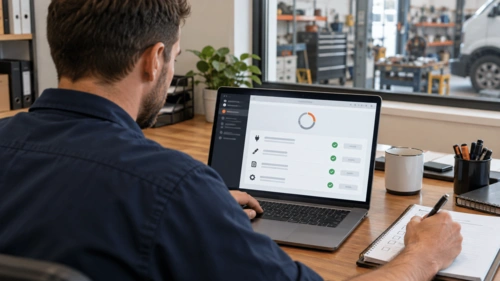
Your website can look exactly as it did last month while the software behind it falls behind. The estimate form still appears. The booking button is still there. The homepage gives you little reason to think anything needs attention.
But website software changes. Developers fix security flaws, hosting environments move forward, and outside services change how they connect. WordPress security updates are part of keeping those moving pieces dependable for customers.
For a service business, the goal is straightforward: customers should be able to understand your services, contact you, and complete the actions your website offers.
Key Takeaways
- Website software changes over time, so keep it updated for security and functionality.
- WordPress updates must include core, plugins, themes, and PHP for ongoing support and security.
- Outdated components can introduce vulnerabilities, so regularly check for maintenance and support.
- Have a clear process for managing updates, including backups, compatibility checks, and testing customer paths.
- Assign ownership of ongoing maintenance to ensure responsibilities are clear and improvements are tracked.
Want a practical way to review your own site? Jump to the free WordPress Updates & Website Security Checklist after the six-step update process.
Your website keeps changing behind the scenes
A WordPress website runs on several layers of software:
| Layer | What it does |
|---|---|
| WordPress core | Runs the publishing system and administration tools. |
| Plugins | Add forms, booking connections, security tools, and other functions. |
| Themes and page builders | Control layouts and often include interactive features and code. |
| PHP and server software | Provide the environment that runs the website. |
| Custom code and outside services | Connect or extend functions such as customer records and payments. |
Each layer has its own updates, dependencies, and support arrangements. Updating WordPress core leaves other components to review. Your host may maintain the server while someone else manages the website’s plugins and integrations.
Ask who handles each layer. WordPress’s security guidance specifically recommends keeping core, plugins, and themes current and choosing software that continues to receive updates. developer.wordpress.org
Core releases can include security fixes as well as new features. WordPress officially supports its latest version; fixes supplied to older versions are a courtesy. That is a reason to plan continued upgrades rather than rely indefinitely on an old installation. wordpress.org
Outdated code can leave a known opening
A security vulnerability is a flaw that can allow someone to do something they should not be able to do. When a developer releases a fix, an older installation may still contain that flaw.
Attackers have automated tools for finding unpatched systems. Your business does not need to be singled out personally for vulnerable software to matter. OWASP’s guidance on outdated components explains this risk and the need for timely patching and compatibility testing. top10.owasp.org
Depending on the flaw, a compromise could involve unauthorized changes, malicious code, or access to information. WordPress’s hacked-site guidance describes warning signs such as unauthorized users and malware warnings. A customer encountering those problems may be unable to use the site confidently. wordpress.org
Old software does not prove your site has been attacked. It does mean you should investigate support status and known problems instead of judging security by appearance.
Plugins and themes need more than an update notice
Check whether the software is still maintained
A quiet dashboard can mean there are no available updates. It can also leave unanswered questions about a component that its developer no longer supports.
Keep a list of installed plugins, their purpose, vendor, version, and update access. Check support information and compatibility requirements. A long gap between releases deserves investigation; release frequency alone does not prove a plugin is safe or abandoned.
Confirm that paid tools can receive updates. Have your manager remove plugins that are no longer needed after checking dependencies and data. Deactivating a plugin leaves its files installed. WordPress’s hardening guidance recommends deleting unused plugins and obtaining software from trusted sources. developer.wordpress.org
Keep the theme and its customizations maintainable
A theme contains software as well as visual styling. Its updates can address compatibility and security even when you want the design to stay the same.
If the site uses a child theme, the parent theme still needs attention. A child theme keeps customizations separate so the parent can receive updates. Custom overrides still need review as the parent changes. developer.wordpress.org
Ask where custom snippets and modifications live and who maintains them. Changes made directly to vendor files can be overwritten during updates. Repeatedly postponing updates to preserve an undocumented modification is a reason to fix the customization approach.
PHP has its own support clock
PHP is the programming language used to run much of WordPress. Its version is usually controlled through your hosting environment.
PHP branches move through active support, security-only support, and end of life. After upstream support ends, the PHP project stops providing fixes for that branch. Check the official PHP support table; a website that still loads can be running unsupported software.
Ask your host which branch and patch release you use, whether upstream security support remains available, and when the next upgrade is planned.
Changing PHP can expose incompatibilities in older plugins, themes, or custom code. WordPress’s PHP upgrade guidance recommends preparation, backups, and compatibility checks. Test a supported target version before changing the live environment. A website backup alone does not change the server’s PHP version back. wordpress.org
Outside software can change the connection
Your booking, email, payment, or customer-management service may operate separately from WordPress. A connection between systems is often called an API: a defined way for programs to exchange information.
Vendors can change requirements, replace features, or retire older connection methods. Whether your site needs work depends on the service, connector, and versions involved.
For example, Stripe’s versioning documentation distinguishes compatible monthly API releases from major releases that can require changes to an existing integration. This is a concrete reason to read vendor notices rather than assume every software change is interchangeable. docs.stripe.com
Consider a booking form that still opens, but its connection no longer sends the expected confirmation or customer record. That is a possible failure scenario, not evidence about your own site. Testing should follow the customer’s action through the receiving system.
Update safely, then verify the customer experience
Keeping software current requires a process suited to the site’s complexity and the urgency of the change:
- Assess the update. Review release notes and security notices. A fix for an actively exploited vulnerability needs prompt attention; a major feature change may need more preparation. If no fix exists, have a qualified manager assess safe containment or replacement.
- Check compatibility. Review requirements for WordPress, PHP, plugins, themes, and custom code. Identify dependencies and any required migration steps before choosing the update order.
- Verify recovery. Confirm a recent successful backup, access to it, and a tested way to restore. A complete WordPress recovery copy needs both files and the database. Know what outside systems store separately. developer.wordpress.org
- Use a protected test environment when appropriate. A staging site is a separate copy for trying changes. Prevent it from sending customer messages, creating real bookings, or charging payments. Restrict access and use test connections where available.
- Apply changes and record them. Follow vendor instructions and the dependency order. For substantial changes, separate steps where practical so problems are easier to trace. Have someone responsible for failed updates and unexpected behavior.
- Test the important customer paths. Check menus and layouts, submit a clearly labeled form test with staff coordination, verify delivery and routing, and test offered booking or payment flows safely. Repeat important checks on a phone and desktop.
Restoring an older database can remove inquiries or other records created since that backup. Plan how to preserve new information before a rollback. If restoring also reintroduces a vulnerability, the recovery needs a follow-up fix or protective action. Use the website backup restoration guide to check whether your team could actually recover the site.
Use the checklist to close gaps: leave unverified items unchecked, assign a responsible person, and choose your next three improvements.
Free resource: WordPress Updates & Website Security Checklist. Use this checklist to review software support, update responsibility, backups, compatibility checks, and testing of customer-facing features. Complete the form below to request your copy.
Get Your Free WordPress Update & Security Checklist
Updates are one layer of protection
Keeping software current reduces known risks. It also needs support from good access controls, monitoring, and recovery arrangements.
Use unique administrator accounts, strong passwords, and two-factor authentication through a supported solution. Remove unnecessary access. WordPress’s login-security guidance also describes rate limiting and firewall protections against abusive attempts. A security plugin needs its own maintenance and does not guarantee protection. developer.wordpress.org
Form spam is a separate problem. Bots can submit an ordinary public form without compromising the website. Gravity Forms’ spam guidance describes layered controls because no single method catches all spam. Choose measures appropriate to your form system, then check that legitimate customers can still submit requests. docs.gravityforms.com
Treat unexplained redirects, unfamiliar administrator accounts, or malware warnings as reasons to contact your host or a qualified security professional promptly. Installing an update alone does not establish that an already compromised site has been cleaned. Preserve details about the symptoms and avoid treating a disappeared warning as proof of recovery.
Give the ongoing work a clear owner
You can inspect customer-facing functions and review maintenance records yourself. Technical changes may need a host, developer, or website manager. The important point is knowing who owns the work and who responds when something fails.
Ask for a written explanation of responsibilities covering:
- Software updates, support lifecycles, and replacement of unsupported components.
- Backups, restore testing, and preservation of new customer information.
- Forms, external connections, and checks after changes.
- Security alerts, failed updates, and unresolved compatibility issues.
- Software renewals, administrative access, and recovery contacts.
Hosting and maintenance arrangements vary. Confirm whether troubleshooting, custom-code repairs, integration changes, and malware cleanup are included or require separate work.
A useful maintenance record identifies what changed, what was tested, what remains unresolved, and who will follow up. Our monthly website maintenance checklist helps organize these routine checks. That makes the work easier to understand even during a month when the website looks unchanged.
Common questions about WordPress updates
How often should updates be reviewed?
Use an ongoing process for update and security notices. Urgent fixes should not wait for a monthly checklist. Plan other changes around compatibility, vendor guidance, and the functions your business depends on.
Should every update be automatic?
Automatic updates can reduce delay. WordPress’s auto-update guidance recommends having backup and rollback capability. Decide which components can update automatically and which need managed testing. Someone still needs to notice failures and check important functions. wordpress.org
Does a small website need this attention?
Yes. A few pages can still depend on PHP, a theme, plugins, and a contact form. Match the maintenance process to the actual software and customer tasks, rather than the number of pages.
Keep your website ready for the next customer
Dependable upkeep means keeping supported software in place, making changes carefully, and checking that customers can still complete the actions your business offers. To connect that work to business results, see five numbers that show whether your website is working.
Industry Ignitors can review your existing website and online presence and identify specific opportunities for improvement. Use the questions in this guide to bring your priorities into focus.