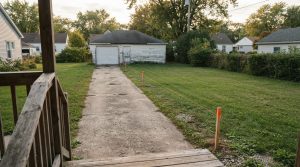
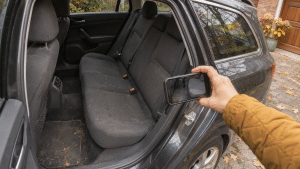
A driver taps “Get an Estimate” after scraping a bumper against a parking-garage pillar. Another driver has a similar-looking mark after being rear-ended, but the trunk no longer closes and a warning light is on. Both might be able to upload pictures. They should not necessarily receive the same next step.
For an auto body shop, a good collision repair estimate request form does not try to turn every photograph into a price. It helps the front office understand what happened, what the vehicle is doing now, and whether to arrange a photo review, an in-person inspection, or a phone conversation first. Build the request around the decision your estimator must make next.
Key Takeaways
- A collision repair estimate request form should facilitate accurate damage assessment, guiding customers effectively based on their needs.
- Provide clear choices for requesting photos, scheduling inspections, or discussing vehicle safety to avoid confusion.
- Include a damage-photo checklist and specific vehicle information fields to streamline the submission process.
- Build forms that adapt to customer situations, focusing on relevant questions for each path instead of long checklists.
- Ensure submission confirmations inform customers about next steps, while prioritizing their privacy and ease of use.
Get the Collision Repair Intake Worksheet to check your own website as you work through this guide.
Decide what the customer is actually requesting
A button labeled “Free Online Estimate” can sound like an instant, reliable repair quote even when your team only uses photos to decide whether an inspection is needed. Choose words that match the service you really provide. “Send Photos for Initial Review” is different from “Request an Estimate Appointment.” If your shop offers both, give them separate routes.
Start with three choices:
- Send photos for an initial review: for a parked vehicle with visible damage when the shop can review photos and recommend a next step.
- Request an inspection appointment: for someone who wants an estimator to see the vehicle, with or without photographs.
- Call the shop about a vehicle that may not be safe to drive: for customers reporting warning lights, poor steering or braking, leaking fluids, loose body parts, or difficulty closing a door or liftgate.
Do not make customers diagnose safety problems. Ask what they observe, then provide the shop's actual staffed phone number and explain that a web form is not monitored for emergencies. A customer unsure whether to drive should seek appropriate professional guidance rather than relying on an automated message.
The broader choices belong in your auto body shop website guide. This article goes deeper into the exact information a photo-and-estimate request should capture and how the office should respond.
Give customers a damage-photo checklist they can follow
“Upload a picture of the damage” often produces one dark close-up with no clue which corner of the vehicle it shows. A short set of instructions improves the usefulness of the first submission without pretending it replaces a physical inspection.
Ask for photographs taken in a safe, stationary location, with clear light and no reason to stand in moving traffic:
- One view of the whole vehicle from an angle showing where the damage is located.
- One wider view of the damaged side or corner, including nearby body panels.
- One close-up of the visible dent, scrape, cracked lamp, or displaced panel.
- Another angle if reflections, shadows, or the shape of a panel hide the damage.
- Optional related views of a door gap, loose trim, or a separate impact area when easy and safe to photograph.
Show miniature examples or a simple diagram beside the upload field. Explain acceptable file types and upload limits based on your actual form configuration. Let a customer continue if they have only two good photos, and make the image upload optional when the customer instead needs a call.
Do not request images of an insurance card, driver's license, registration, or claim documents in the general photo-upload field. If your office needs sensitive paperwork, use an appropriate private channel and explain when it will be requested. You can also suggest that customers avoid including license plates, bystanders, or unrelated personal details when the image is only meant to show damage.
Ask for vehicle information that changes the next conversation
The best fields are the ones an estimator or service coordinator will actually use. Put the essentials first, then reveal follow-up questions only for the selected route.
Useful fields for nearly every request:
- Customer name and preferred callback method.
- Phone or email, plus the best time to reach them if necessary.
- Vehicle year, make, and model, with an “I'm not sure” option for incomplete details.
- Short description of the impact and the location of visible damage.
- Whether the vehicle is at home, at the shop, at a tow yard, or somewhere else.
- Whether the customer is asking for a photo review or an in-person visit.
Useful conditional fields:
- For vehicles with possible functional damage: “Is anything not opening, closing, steering, braking, or working as expected?” Add free text for warning lights or fluid leaks, without drawing safety conclusions.
- For an appointment: preferred days and times, clearly labeled as requests, not confirmed reservations.
- For a fleet or business vehicle: company contact and unit number, if applicable.
- For a customer with an insurer's estimate already in hand: “Do you already have an insurer estimate or claim reference?” Keep details optional at initial contact unless the office needs them to route the inquiry.
Do not require a VIN just to send a picture unless staff have a defined reason to collect it at that stage. A VIN can become useful for parts identification and repair planning later. Ask for sensitive information only when it is needed, and tell customers how it will be handled.
Build a form that follows the situation, not a long checklist
Here is a practical way to route three distinct customers through the same page.
Path A: Visible cosmetic damage and a driveable vehicle
A customer reports a parking-lot scrape, uploads three bumper photos, enters the vehicle details, and chooses Initial photo review. Their confirmation says the shop will examine the submission and contact them about whether an in-person inspection is needed. It does not display a repair price or imply a booked appointment.
Path B: Impact with uncertain roadworthiness
A customer reports a rear impact, a liftgate that will not latch, and a dashboard warning. The page puts the shop's staffed telephone path ahead of photos. It tells the customer not to treat a form submission as immediate assistance and does not recommend driving the vehicle. The intake record can still capture a location and callback number for staff follow-up.
Path C: Insurance estimate already prepared
A customer has received an estimate from an insurer and wants a shop inspection. Let them select I already have an estimate and request an appointment. The office can explain what documentation to bring or share securely, what the shop will assess, and whom to contact with questions about claim coverage. Avoid turning the form into an insurance eligibility questionnaire.
In each path, show only the questions needed for that next step. This is the same customer-task principle behind planning a website around what customers need to do, applied to a specific collision repair decision.
Explain what photos can and cannot establish
A photo review may help an estimator identify the visible area of damage, prepare questions, or decide how to schedule inspection. It does not reliably reveal everything behind a bumper cover, inside a lamp assembly, or beneath an adjoining panel. I-CAR's guidance on indirect damage describes damage that may not be visible until components are inspected or removed.
Put this distinction beside the submit button, not only in terms and conditions:
Photos help us review visible damage and plan your next step. A final repair plan and price may require an in-person inspection or disassembly. We will explain the process and seek any required authorization before work proceeds.
Be just as clear about insurance. Your shop can describe its repair process and what documentation it can provide; the insurer addresses policy coverage, claim decisions, and payment terms. The National Association of Insurance Commissioners' consumer guidance explains the insurer's adjuster role and what customers can do when they have claim questions. Do not promise that every insurer will approve a repair, cover a rental, or pay a particular amount.
If a preliminary amount changes after damage analysis, the customer should understand who contacts them, what revised information they receive, and when they authorize further work. The FTC's auto repair guidance encourages clear written estimates and communication about approval for additional work. Confirm your own state rules and your shop's actual authorization procedure before publishing precise legal or financial claims.
Make the submission confirmation useful
A successful upload is not the end of the customer's task. The driver needs to know what arrived and what happens next. A practical confirmation could read:
Your request was received. Our collision repair team will review the details you submitted and contact you to discuss the next step. This is not a confirmed appointment or repair estimate. If you need immediate help with a vehicle that may be unsafe to drive, call the shop during staffed hours rather than waiting for an online reply.
Use your real contact hours and response practices instead of invented turnaround promises. An automated email can summarize the request type, vehicle, and next step without resending sensitive photographs in an unsecured message.
For the staff notification, lead with the choice the customer made. A subject like Photo review request | 2021 Toyota RAV4 | Rear-left damage is easier to route than “New form entry.” Include the callback number, vehicle, damage description, upload status, location, and any reported operating concern. Link to the secure entry so the estimator can inspect photos without forwarding them through several inboxes.
Decide who owns new requests when the estimator is out. A shared inbox without an assigned person can still leave a driver waiting. Have your front desk test the process using the contact form testing checklist as a starting point, then add the collision-specific intake checks below.
Check privacy, mobile uploads, and failure handling
Most customers will take photos on a phone, so test the complete process there. Can someone select multiple images from the camera roll? Does the page show that files are uploading? Is a filename or thumbnail visible afterward? Can the form be submitted if an image fails, without losing everything already typed? Is there a clearly labeled route to call or request an inspection instead?
Limit collected information to what staff need, protect access to uploaded photographs, and establish a retention process appropriate to your tools and legal obligations. For forms, use readable labels, clear instructions, and error messages that identify what needs attention. The W3C's form instructions tutorial offers practical guidance for accessible field instructions.
Test a submission with no photo, another with several large phone images, and another after switching from photo review to inspection request. Look at what arrives in the staff entry, not just at the on-screen success message. If uploads fail, tell the customer what happened and give a safe alternative.
Run a fifteen-minute intake test with your team
Ask one person to act as a customer and another to act as the estimator. Try the three paths above on a phone. The estimator should be able to answer four questions using only the saved entry: What does the driver need? What vehicle is involved? Is there a reason to call before discussing photos? What should we do next?
Then inspect the customer receipt and compare it with the internal notification. If the form suggests a confirmed appointment when only a time preference was submitted, change that language. If the estimator cannot tell which side was hit, improve the photo instructions. If the office receives vehicle photos without an assigned owner, repair the routing—not just the wording.
A worthwhile request form saves customers from guessing and gives the shop enough information to make a useful first contact. It should never substitute for the collision repair assessment itself.
Get the Collision Repair Intake Worksheet
Use this one-page worksheet to review photo requests, vehicle details, inspection paths, and the handoff to your estimator. Enter your name and email below and we’ll send your copy.
Get Your Free Collision Repair Estimate Request Worksheet
Get a Free Website Review
Does your website make it easy for a driver to send useful damage photos, request an inspection, and understand what happens afterward? Industry Ignitors will review your website and online presence from the customer’s perspective and identify practical opportunities to improve the estimate-request experience.