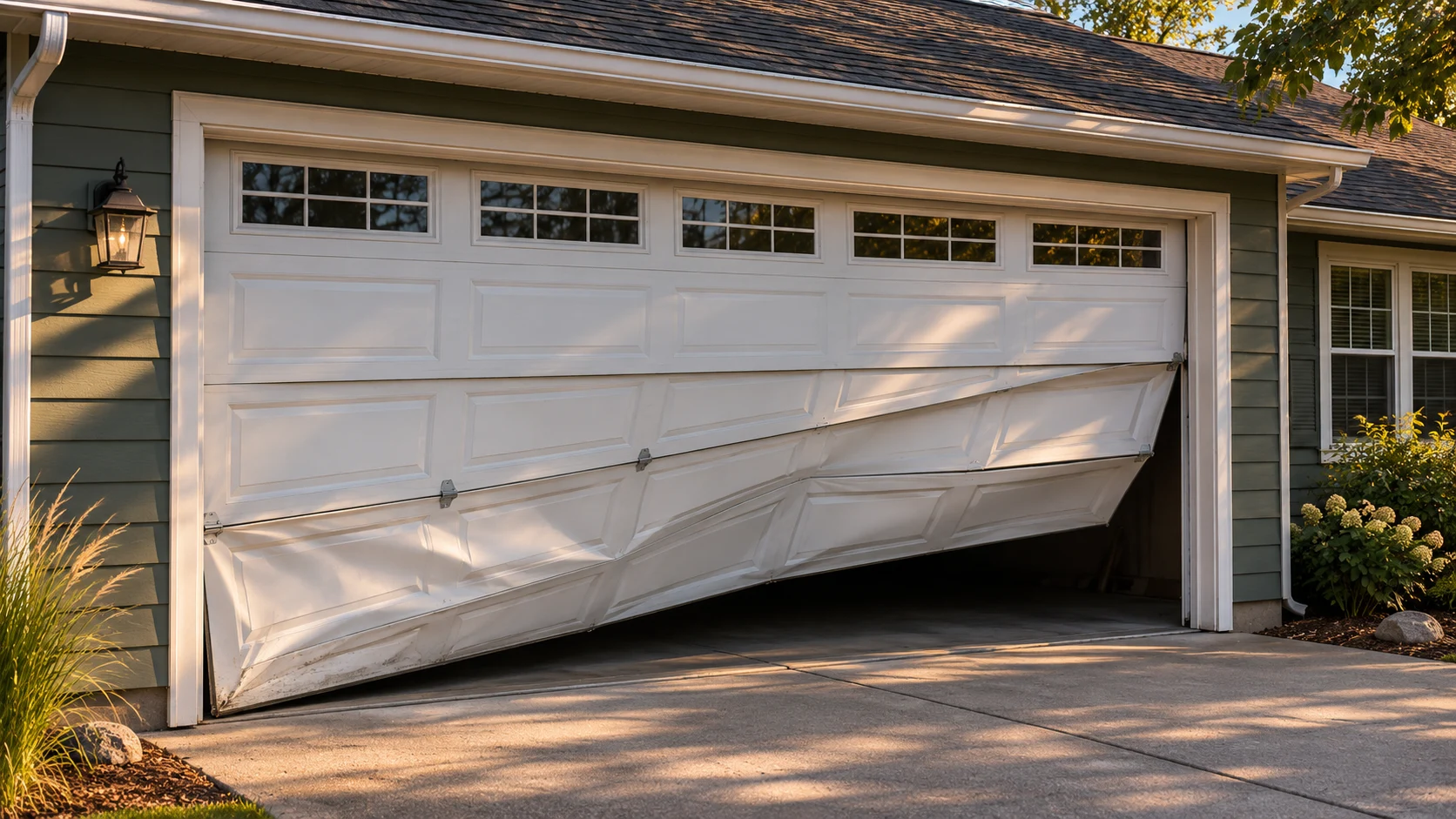
At 8:40 on a Friday night, a homeowner’s garage door stops a few inches above the driveway. One side sits higher than the other. The homeowner calls the number on your repair page and reaches an answering service. They tell the agent that the garage won’t close. The agent says someone will call back. An hour later, the homeowner still has to decide whether to wait up.
Your website can answer the first question in that call before the phone rings. Will the number reach someone who can check technician availability, or will it take a message for the next shift? Build the rest of your intake around what happens after that answer. The person taking the call needs enough information to hand it off, and the customer needs to know when a repair visit is confirmed.
Key Takeaways
- Say who answers after hours and when your team can check technician availability.
- Collect the service location, door position, and access problem from what the caller already knows.
- Keep people clear of a damaged door and leave photos, measurements, and tests to the technician.
- Assign one person to follow up and tell the customer when a visit is confirmed.
- Test the mobile call path after closing and from the edge of your service area.
Use the Garage Door Emergency Call Handoff Worksheet to test the page, phone line, and dispatch handoff with your team.
Say who answers the phone after hours
Open your repair page on a phone and read the line beside the call button. If it says “24/7 emergency service,” find out what happens when someone in your furthest service ZIP calls on a Sunday night. A live answer, an on-call technician, and a truck on its way are three different things. Use the wording that describes what the caller can actually expect.
If an answering service takes calls around the clock and someone may be available to go out, try “Call to check after-hours repair availability. Our answering service takes your details and contacts the on-call technician in covered areas.” If messages wait until the office opens, say “Leave a message for our repair team. We review messages when the office reopens.” Put your actual hours or holiday exceptions next to that instruction.
For a company with several locations, check whether the same number handles every service area after closing. A suburb you cover for weekday installation may be outside your evening repair area. Give the answering service the same coverage rules the customer sees. If coverage depends on the day, door type, or availability, use a call button that says “Check repair availability.” Industry Ignitors’ garage door service website guide covers how the repair path fits with your installation and quote pages.
Give callers a safe way to describe what happened
A caller may say “I heard a bang and now I can’t get the car out.” That’s enough to start a ticket. Have the person answering record what the caller already saw or heard. The Door & Access Systems Manufacturers Association’s garage door safety guidance explains the danger of high-tension spring components and why a trained technician should handle that work. Have your service lead review an instruction such as “Keep clear of the door and leave it as it is. Tell us what you already noticed.” Leave photos, measurements, and equipment tests out of the urgent intake.
Give the agent a separate instruction for immediate danger. In the United States, a person who is trapped or seriously injured needs emergency services. The National 911 Program’s guidance on calling 911 explains when to call for immediate assistance. A vehicle blocked by a closed door is a different situation for your staff to record. Write the script so the agent can tell which kind of call they’re handling.
For a repair call, start with four things your team can act on.
- Callback and service location. Get a number the caller can answer and enough location information to check coverage. Confirm the service address before offering a visit.
- Door position. Ask whether the door is open, closed, partway up, uneven, or unknown. Record where it stopped in the caller’s words.
- What the position affects. Find out whether a vehicle is blocked, the opening is exposed, or another entrance is available. The same door symptom can create different access problems.
- Type of door and site. Separate a residential garage from a commercial overhead door or loading bay if your company serves both. At a business, ask for the bay identifier and an on-site contact.
If your website has a callback form, label it with the hours someone reviews it. Ask for only the information the office uses to make the first callback. Keep repair requests out of the new-door estimate queue. For a working door the customer wants to replace, ask about the project and let your installation team follow up on its usual schedule.
Make one person responsible for the next action
Picture the ticket arriving at the end of the dispatcher’s shift. It says “urgent door repair” and includes a phone number. Who has agreed to call back? Has a technician accepted the job? What does the customer believe is happening? Put the answers on the same ticket. Decide who owns it when the first contact can’t reach the on-call technician, and who tells the customer if the company can’t offer a visit.
Here’s what one hypothetical handoff could look like: “Residential door stopped unevenly just above driveway. Garage opening exposed, vehicle outside. Location covered for after-hours calls. Answering service reached caller. On-call dispatcher to check crew availability and call back. Visit unconfirmed.” An overnight dispatcher can start from that note without asking the customer to repeat the story.
Use distinct statuses the team can say out loud. “Message received” can mean the agent has opened the ticket. “Checking technician availability” tells the customer why they’re waiting. “Visit confirmed” should come after your team has accepted the job and communicated the actual timing or arrival window. Match the form receipt to that process. For example: “We received your repair request. Our team will contact you to discuss availability. Your visit is confirmed when we give you an appointment or arrival window.”
Decide how to handle exceptions in advance. If no one accepts the job, give one person responsibility for telling the caller what your company can offer. If you use a service that transfers calls, rehearse what happens when the transfer goes unanswered. Confirm that the message lands somewhere a named person checks. Industry Ignitors’ contact form testing guide walks through the same kind of delivery check for online requests.
Test the route on an ordinary phone
Ask someone from the office to open the repair page from search on a phone, away from the office Wi-Fi, and follow it as a customer would. Run the test once during staffed hours and once after closing, with your team expecting it. Check the actual number that rings, which person or service answers, and what they say when a visit depends on availability. Try one address inside the normal area and one address near its edge.
Give the test caller a case in which the door is stuck partly open and a vehicle is still inside. They should be able to describe it without being asked to operate the door again. Then try a working door the owner wants to replace. If you handle commercial jobs, add a loading bay that’s out of use and check that the call reaches the commercial team. Ask the person receiving each ticket to tell you who owns it, what the caller heard, and whether a visit is confirmed.
If the page, voicemail, and dispatcher give different answers, fix the earliest place the customer gets the wrong expectation. That may be the line beside the call button, the answering service’s first sentence, or the confirmation shown after someone requests a callback.
Download the Garage Door Emergency Call Handoff Worksheet
Use the worksheet to walk through your public repair page, the phone script, and the dispatch ticket in one sitting. Mark where a caller could get stuck waiting and choose the next three changes to make.
Get Your Free Garage Door Emergency Call Handoff Worksheet
Get a second look at your repair contact path
Industry Ignitors can review your website and online presence and identify where customers lose a clear next step when they need a repair.